
Deploy
Deploy to Cloudflare Workers
JSandy can be deployed to Cloudflare Workers, providing a globally distributed, serverless runtime for your API. This guide will walk you through the deployment process.
Prerequisites
-
Install the Wrangler CLI
npm install wrangler@latest -g -
Make sure you have an account at Cloudflare
Deployment Steps
-
Deploy your backend to Cloudflare Workers using
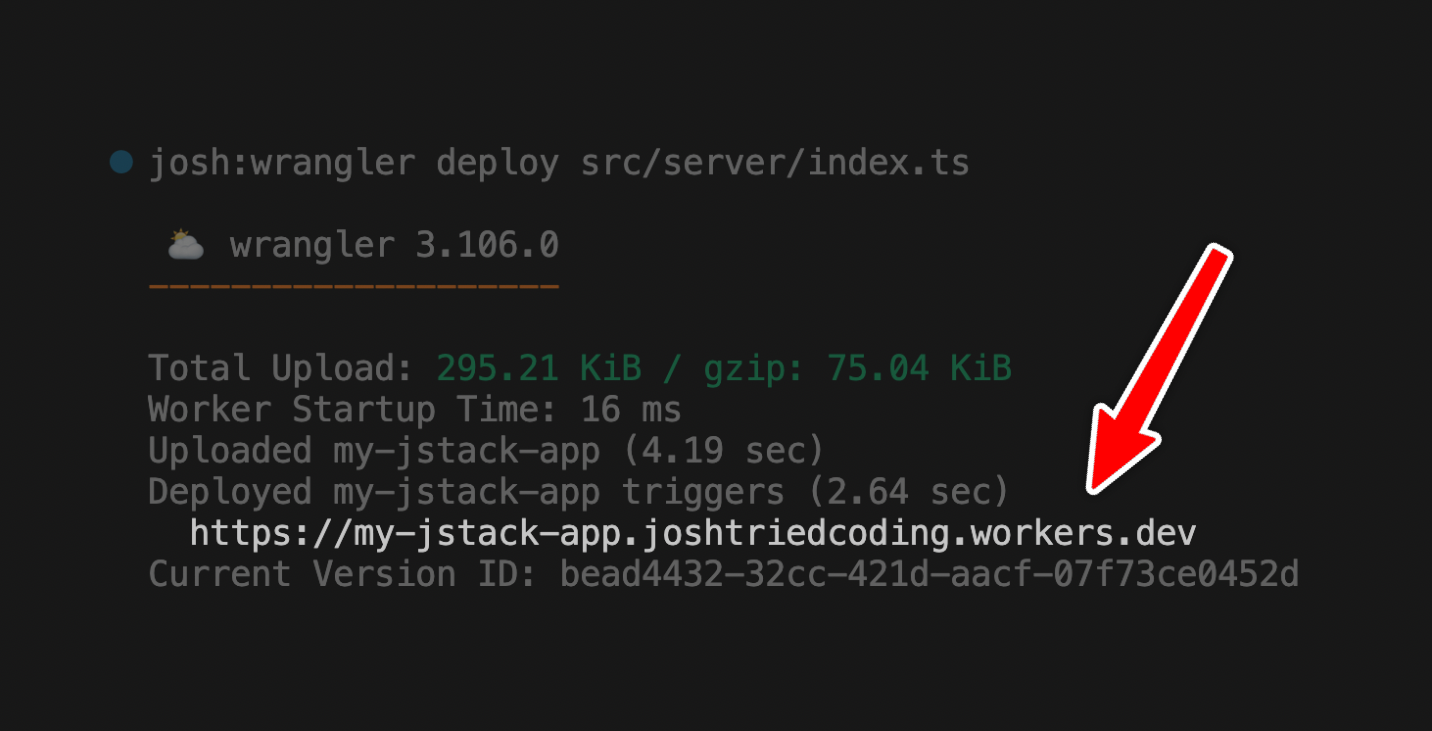
wrangler deploy. Enter the path to yourappRouterfile, by default this is:wrangler deploy src/server/index.tsThe console output will look like this:
-
Add the deployment URL to the client:
import type { AppRouter } from "@/server"
import { createClient } from "@jsandy/rpc"

export const client = createClient<AppRouter>({
  baseUrl: `${getBaseUrl()}/api`,
})

function getBaseUrl() {
  // 👇 In production, use the production worker
  if (process.env.NODE_ENV === "production") {
    return "https://<YOUR_DEPLOYMENT>.workers.dev"
  }

  // 👇 Locally, use wrangler backend
  return `http://localhost:8080`
}
Environment Variables
Make sure your Worker has the necessary environment variables configured. Either enter one at a time or update them in bulk:
wrangler secret put <KEY>Production Deployment
When you deploy your front-end application:
- Deploy to your preferred hosting platform (Vercel, Netlify, etc.)
- After adding the deployment URL to your
lib/client.tsfile, your frontend will automatically connect to your Worker
Common Problems
CORS Configuration
If you are experiencing CORS problems, make sure your Worker is configured correctly:
import { InferRouterInputs, InferRouterOutputs } from "@jsandy/rpc"
import { postRouter } from "./routers/post-router"
import { j } from "./jsandy"

const api = j
  .router()
  .basePath("/api")
  .use(j.defaults.cors)
  .onError(j.defaults.errorHandler)

const appRouter = j.mergeRouters(api, {
  post: postRouter,
})

export type AppRouter = typeof appRouter

export default appRouter